• Connections
  • Free Menu Score
  • Pricing
  • Blog
  • Log in
  • Get started

Online menus.
Your POS.
All in sync.


Manage your online menus directly from your POS, any changes you make in your POS will sync automatically to your online ordering apps. Decide what goes live, apply changes, and let updates sync automatically across every connected platform.
Get 30 days free*
Supports
AppApp
You simply just make that price change in the back office POS and it just pushes straight through
Ben Cleary-Corradini Co-founder, Gnocchi Gnocchi Brothers

Your POS. The single source of truth.

One item change shouldn’t mean logging into every delivery app. But for many venues, it does. That’s when mistakes creep in and menus fall out of sync. With POSync, your POS is the single source of truth. Make updates in your POS and changes automatically flow to every connected online ordering app via Doshii. You can choose what goes live, make changes and it updates automatically. No double-handling. Fewer errors. More time back.

POSync supported POS

POSync currently supports Lightspeed and Square. If you’re using either, you can manage your menu from your POS and keep your online ordering apps in sync. Don’t have Lightspeed or Square? Try our Doshii Managed Menus.

Lightspeed
Square

Why choose POSync?

Stay in control of how your online menus operate

Whether you’re managing one venue or multiple sites within a group, POSync lets you decide how menus flow across all your online ordering apps. Sync only the categories you want, and keep inventory, images and pricing accurate without lifting a finger.
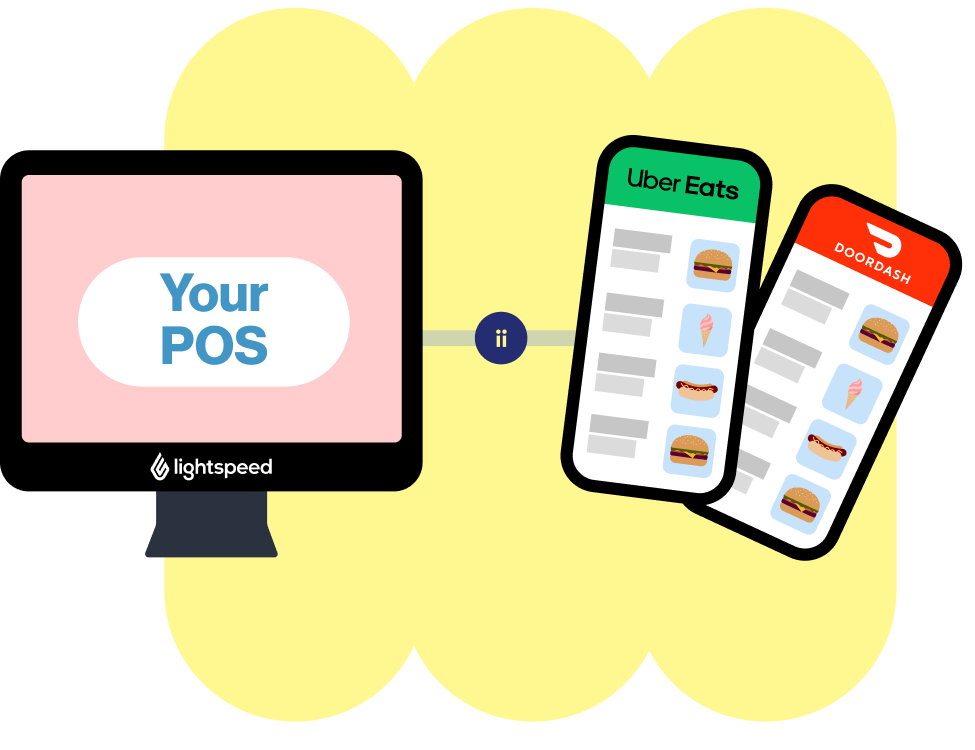
Build your menu in your POS, sync it directly to your apps.

You’ve built your menu in your POS. Now you can sync it straight to your online ordering apps. Update an item, and it flows through to every connected app, meaning fewer mistakes, fewer mismatched prices, and a smoother service all around.

Manage app percentage increases from your POS

With POSync you can apply app percentage increases to your POS menu prices, maintaining consistent pricing and helping to protect your margins.

Can’t decide? Let us help you pick your flavour.

Here’s a side-by-side look at managing your menu from your POS with POSync, or directly in Doshii, so you can see what suits your venue best.

Manage your menu
In your Lightspeed or Square POS
In Doshii
How updates work
Update once in your POS and it flows to all apps
Update directly in Doshii and it flows to all apps
Menu setup
Use your existing POS menus
Build and customise your menu in Doshii
Product pricing
Sync from POS with automatic app fee mark up
Full control in Doshii
Product availability
Synced from POS
Managed within Doshii or POS
Supporting POS
Available for Lightspeed and Square
Works with any POS connected to Doshii
Best suited for venues that
Want their POS as the single source of truth
Use a POS with limited online menu features or online menus differ from in venue
Venue scale
Ideal for multi-site groups
Ideal for 1-3 venues
Manage your menu
In your Lightspeed or Square POS
How updates work
Update once in your POS and it flows to all apps
Menu setup
Use your existing POS menus
Product pricing
Sync from POS with automatic app fee mark up
Product availability
Synced from POS
Supporting POS
Available for Lightspeed and Square
Best suited for venues that
Want their POS as the single source of truth
Venue scale
Ideal for multi-site groups
Manage your menu
In Doshii
How updates work
Update directly in Doshii and it flows to all apps
Menu setup
Build and customise your menu in Doshii
Product pricing
Full control in Doshii
Product availability
Managed within Doshii or POS
Supporting POS
Works with any POS connected to Doshii
Best suited for venues that
Use a POS with limited online menu features or online menus differ from in venue
Venue scale
Ideal for 1-3 venues
View Menu ManagerI need help

Ready to simplify your delivery orders?

Getting started is a piece of cake. Connect your venue with Doshii and get 30 days free*

*Enjoy a 30-day free trial on all plans and optional sides, with no fees, excluding virtual brands. This offer is available to new venues that sign up to Doshii and submit their first app connection request. By using Doshii’s services, you agree to our full merchant terms. Doshii may modify these terms at any time. For complete details, please view our merchant terms.

Support that’s local, friendly and hospitable

Get unparalleled local support from a team that knows hospitality, speaks hospitality, and does so in the most hospitable way possible.

You’ll have access to a dedicated Australian-based team managing your account, who knows how you like to operate.

  • Simplicity at its best

    Doshii keeps it simple with a streamlined feature set and easy-to-use interface, so you can spend less time on tech and more time with your customers.

  • One flat-rate pricing – hold the hidden fees

    Our pricing is honest and simple. Choose a Starter or Main Course plan, and we’ll ensure no surprise costs bite into your bottom line.

  • Compatible with Australia’s tastiest POS systems

    Doshii integrates with a range of the hospitality industry’s preferred POS systems and apps.

Eligible CommBank merchants can now enjoy Doshii On The House^

To help your venue run smoother, we'll waive^ the subscription fee on your Doshii plan when you process payments with a CommBank EFTPOS terminal. Our shout!

CommBank EFTPOS terminal and third party partner app/POS fees still apply. Offer terms & conditions here.

How to Get Started:

  • Check POS compatibility here
  • Register your interest with this form
  • Connect your apps and POS with Doshii
  • Process payments on your CommBank EFTPOS terminal. We'll waive^ subscription fees for any Doshii plan as long as you remain eligible. Learn more here.

Submitting...

By applying for the offer, you agree to Doshii using your personal details – including your CommBank Merchant ID – to schedule a follow-up call or email and to share that ID with CommBank to confirm your eligibility for this offer. You may opt out at any time via the link in our emails or by contacting sales@doshii.com. For more, please see Privacy Policy.
^Eligible CommBank merchants in Australia using a CommBank EFTPOS terminal can enjoy any Doshii plan at no additional cost, including fees charged by Doshii associated with connecting to Ordering and Delivery apps, Business apps and Virtual Brands. Charges from third party app and POS Partners, as well as CommBank EFTPOS terminal fees, may apply. This On The House offer is ongoing and available to existing and new merchants that sign up to Doshii before 31 December 2026. Doshii may modify or end the offer at any time. For more, see full Offer terms and conditions .

FAQs

  • What is POSync?
  • How does POSync work?
  • Which POS systems and apps does POSync support?
  • Do I still need to update my menu in delivery apps?
  • Can I control what gets published to each app?
  • Can I manage pricing for delivery apps?
  • Can I manage multiple venues with POSync?
  • Is POSync difficult to set up?
  • Are all Doshii features still available to POSync users?
  • Why choose POSync over standard Doshii Managed Menus?
  • Why choose Doshii POSync over other integration partners?
$300+ million orders served with Doshii
Australia-based customer support
#1 range of Australian hospo apps and POS
Get in touch
  • Facebook
  • Instagram
  • LinkedIn
  • X
  • How it works
    • Connections
    • Order Manager
    • Menu Manager
    • Virtual Brands
    • Integrations
  • Log in
    • Get connected
    • Get started
    • Get in touch
    • Blog
  • About us
    • Pricing
    • Developer support
    • Developer login
Doshii Partner
  • Facebook
  • Instagram
  • LinkedIn
  • X
Get in touch
Doshii Partner
  • Privacy Policy
    • Merchant Terms

      © Doshii is a brand of Doshii Connect Pty Ltd ABN 37 645 980 203. Doshii Connect Pty Ltd is a wholly owned by CBA New Digital Businesses Pty Ltd ABN 38 633 072 830, a non-guaranteed subsidiary of the Commonwealth Bank of Australia ABN 48 123 123 124. CBA New Digital Businesses Pty Ltd is not an Authorised Deposit-taking institution for the purposes of the Banking Act 1959 and its obligations do not represent deposits or other liabilities of Commonwealth Bank of Australia or its subsidiaries.